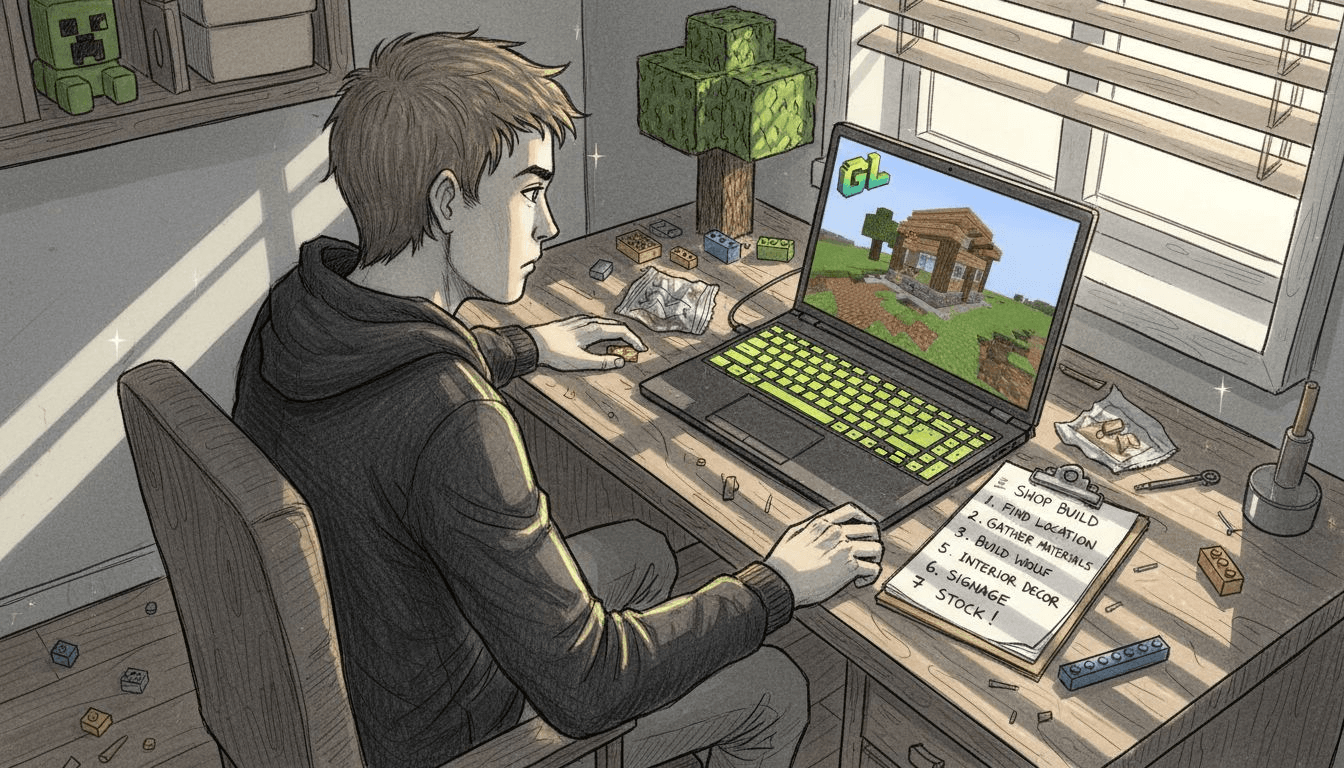
Setting up a successful Minecraft shop in a multiplayer economy requires understanding the essential selection criteria before you even place your first sign. Many players struggle to balance location visibility, inventory variety, and competitive pricing, leading to shops that attract few customers or fail within weeks. This checklist offers clear, actionable steps to build efficient and engaging shops within cross-platform multiplayer economies, helping you maximize sales and create lasting player interactions.
Table of Contents
- Selection Criteria For Minecraft Shop Setup
- Shop Location And Setup
- Shop Management Tools And Methods
- Inventory And Pricing Strategies
- Shop Security And Protection
- Player Engagement And Promotional Strategies
- Summary Comparison And Situational Recommendations
- Explore Gaia Legends For Minecraft Shop Success
Key takeaways
| Point | Details |
|---|---|
| Strategic location | Shop placement near spawn boosts player interactions by over 70%. |
| Inventory management | Empty shops experience a 60% drop in player visits compared to well-stocked alternatives. |
| Plugin selection | Shopkeepers offers the best balance of pricing flexibility and administrative control for shop operators. |
| Security measures | Limiting trusted players per shop to one or two reduces conflict incidents by approximately 50%. |
| Engagement tools | Hologram and signage plugins increase shop visits by about 20% through improved navigation. |
Selection criteria for Minecraft shop setup
Before building your first shop, you need to understand the critical factors that separate thriving player economies from ghost towns. Location determines whether hundreds of players see your shop daily or whether it sits abandoned in a remote corner of the map. Players benefit from setting shops near high-traffic areas such as spawn or marketplace hubs to maximize visibility and sales volume.
Inventory diversity matters just as much as location. Stock items that players actually need, whether that's building materials, rare crafting components, or consumables for quests and events. Restocking frequency directly impacts player interest because empty shelves tell customers you're unreliable. Currency systems on your server must support flexible pricing so you can adjust to market demand without constant manual intervention.
Security measures prevent grief and build player trust in your business. Anti-grief plugins protect your shop structure and inventory from vandalism or theft. Permission systems let you control who can modify shop settings, restock items, or withdraw earnings. Engagement mechanics like auctions, limited-time discounts, and holographic displays boost foot traffic and create buzz around your shop.
Pro Tip: Test your shop concept on a smaller scale first. Set up a temporary stall with 3-5 core products to gauge demand before investing in a large permanent structure.
The Gaia Legends SMP adventure provides built-in tools for all these criteria, making it easier to launch shops that succeed from day one. Choose your priorities based on whether you want quick sales, long-term brand building, or community event integration. Understanding these fundamentals prevents costly mistakes and wasted time on features players don't value.
Shop location and setup
Your shop's physical location determines 70% of its success or failure. Central spawn points and established marketplace districts guarantee constant player flow, while isolated builds in distant biomes attract almost no organic traffic. Over 70% increase in shop interactions occurs when shops are placed near central spawn points compared to remote locations.

Cross-platform accessibility widens your customer base significantly. If your server supports both Java and Bedrock editions, position your shop where players from both platforms can easily navigate. Avoid complex redstone entrances or parkour challenges that might frustrate mobile players on Bedrock.
Initial setup requires careful integration with your server's anti-grief systems and permission plugins. Here's the step-by-step process:
- Claim your shop plot using the server's land protection plugin to prevent unauthorized building or destruction.
- Register your shop name and assign yourself as the owner through the shop management plugin interface.
- Configure permissions to allow player browsing and purchasing while restricting building rights to yourself and trusted managers.
- Place clear, visible signs indicating your shop name, primary products, and any special offers or pricing information.
- Test all transaction commands from a secondary account to confirm purchases work correctly for customers.
Visible signage acts as your primary marketing tool in crowded marketplace districts. Use large text, contrasting colors, and item frames displaying your best-selling products. Players scrolling through dozens of shops will stop at the ones that clearly communicate value and professionalism.
Pro Tip: Reserve a second plot adjacent to your main shop for future expansion or seasonal event tie-ins. This prevents you from losing your prime location when you need more space.
The Gaia Legends SMP adventure offers designated marketplace zones specifically designed for shop clustering, giving you instant access to high-traffic areas without the hassle of finding space. Confirm your shop coordinates and save them for easy teleportation commands that you can share with repeat customers.
Shop management tools and methods
Choosing the right shop plugin determines how much time you spend on administration versus actually playing Minecraft. Shopkeepers stands out for servers needing custom pricing structures and advanced inventory controls. It lets you set different prices for buying and selling the same item, create vendor NPCs with custom skins, and manage multiple shop types from a single interface. Administrative controls include transaction logs, stock alerts, and profit tracking.
QuickShop offers speed and simplicity with a minimal learning curve. Players create shops by placing a chest and hitting it with an item while holding the product they want to sell. The interface loads fast and works reliably across server restarts. However, pricing flexibility is limited compared to Shopkeepers, and you can't easily run sales or dynamic pricing.
EssentialsX Shop integrates basic shop functions within the broader EssentialsX plugin bundle many servers already run. This reduces plugin conflicts and simplifies setup if you're already using Essentials for other features. The trade-off comes in fewer customization options and less granular control over individual transactions.
| Plugin | Pricing Flexibility | Ease of Use | Security Features | Community Support |
|---|---|---|---|---|
| Shopkeepers | High (custom buy/sell rates) | Moderate (setup required) | Strong (permission-based controls) | Excellent (active development) |
| QuickShop | Low (fixed pricing) | Very High (one-click setup) | Moderate (basic protections) | Good (stable releases) |
| EssentialsX Shop | Moderate (configurable rates) | High (integrates with Essentials) | Moderate (relies on Essentials perms) | Excellent (large user base) |
Security and community support vary significantly among plugins. Shopkeepers receives frequent updates addressing exploits and adding requested features. QuickShop's stability means fewer updates but also slower adoption of new Minecraft versions. EssentialsX Shop benefits from the massive Essentials community but sometimes lags behind in shop-specific features.
Plugin selection impacts your shop's long-term viability. A plugin with poor documentation or abandoned development will create headaches when you need to troubleshoot problems or update to newer Minecraft versions. The Gaia Legends SMP community features support multiple shop plugin options, letting you choose the tool that matches your technical skill level and business goals.
Inventory and pricing strategies
Regular restocking prevents the death spiral where players visit once, find empty chests, and never return. Empty shops see a 60% drop in player visits compared to well-stocked shops. Set a restocking schedule based on your play frequency, whether that's daily, every other day, or weekly. Consistency matters more than frequency because players learn when to check your shop for fresh inventory.
Dynamic pricing counters inflation and reflects real demand on your server. Monitor what other shops charge for similar items and adjust your prices to stay competitive without racing to the bottom. If a specific item sells out within hours, raise the price slightly. If inventory sits for days, lower it or bundle it with faster-moving products.
Choose popular items tailored to server trends and seasonal events. Building materials like stone, wood, and glass always sell steadily. Rare enchantments, custom server items, and quest prerequisites command premium prices. Consumables like food, potions, and ammunition move quickly during PvP events or dungeon releases.
Automation options save time and ensure consistency for shop owners who can't log in daily. Some plugins support auto-restocking from linked storage systems or automatically purchasing items from other shops to maintain your inventory. Hoppers and item sorters can funnel products from farms directly into shop chests.
Pro Tip: Keep 10-20% of your inventory as loss leaders priced at or below cost. These items drive foot traffic and expose customers to your profitable products.
The Gaia Legends SMP economy features custom items and server-exclusive gear that create unique pricing opportunities you won't find on vanilla servers. Track which items players request most frequently and prioritize stocking those even if profit margins are thin. Building a reputation for reliability pays off through repeat customers and word-of-mouth referrals.
Shop security and protection
Anti-grief plugins form your first line of defense against vandalism, theft, and malicious modifications. CoreProtect lets you roll back any damage to your shop structure or inventory with simple commands. WorldGuard creates protected regions where only authorized players can break blocks or open chests. GriefPrevention uses a claim-based system that's easier for new players to understand.
Manage trusted players with limited permissions rather than giving full access to anyone who offers to help. Limiting trusted players per shop to one or two reduces conflict incidents by 50%. Even friends can accidentally misconfigure prices or withdraw too much money. Set specific permissions for restocking, price changes, and earnings withdrawal separately.
Configure shop plots for restricted access using your server's protection plugin. Prevent non-members from placing or breaking blocks within your shop boundaries. Allow interaction with shop signs and chests for purchasing but block everything else. Test these permissions thoroughly by attempting to grief your own shop from an alternate account.
Security boosts player confidence and shop longevity. Customers who see protected, professional setups trust that transactions will work correctly and that you'll be around long-term. Visible security measures like claim markers or protection notifications deter casual griefers who look for easy targets.
- Enable transaction logging to track every purchase and identify suspicious patterns like bulk buying that might indicate item duplication exploits.
- Set withdrawal limits on your shop's earnings account to prevent total loss if someone compromises your permissions.
- Back up your shop configuration files regularly so you can restore settings after server crashes or plugin updates.
- Use two-factor authentication on your Minecraft account to prevent unauthorized access to your shop owner privileges.
The Gaia Legends server security features include dedicated anti-grief systems that work seamlessly with shop plugins, eliminating the need for complex manual configuration. Combine multiple security layers rather than relying on a single plugin because determined griefers will probe for weaknesses.
Player engagement and promotional strategies
Hologram plugins and enhanced signage transform static shops into attention-grabbing destinations. Effective hologram and signage plugins improve player navigation to shops, increasing shop visits by 20%. Floating text displays your best deals, current stock levels, or customer testimonials above your shop entrance. Animated holograms showing item previews help players decide whether to enter before walking in.
Run auctions, flash sales, and limited-time offers to create urgency and buzz. Announce special pricing in server chat or on Discord to drive immediate traffic. Bundle slower-moving inventory with popular items at a discount to clear stock and introduce customers to products they might not have considered. Weekend sales and holiday events keep your shop relevant during periods when player activity spikes.
Integrate shops with community events like building competitions, PvP tournaments, or server anniversaries. Offer exclusive items tied to event themes or sponsor prizes in exchange for promotion. Collaborate with other shop owners on joint promotions that benefit everyone through increased marketplace traffic.
Collect feedback and establish rating systems through signs, books, or Discord channels. Ask customers what items they wish you stocked or what prices feel unfair. Positive reviews build social proof while constructive criticism helps you improve faster than competitors.
- Create loyalty programs rewarding repeat customers with discounts or exclusive access to limited stock.
- Host shop tours where you explain your inventory and answer questions in real-time.
- Sponsor community projects by donating materials in exchange for recognition and advertising.
- Partner with content creators who stream or record on your server to feature your shop in their videos.
The Gaia Legends promotional features include built-in auction systems and community event calendars that make it easy to time your promotions for maximum impact. Consistent engagement turns one-time buyers into loyal customers who actively recommend your shop to friends and new players.
Summary comparison and situational recommendations
Comparing shop plugins side by side clarifies which tool fits your specific needs and technical comfort level. Here's a detailed breakdown:
| Feature | Shopkeepers | QuickShop | EssentialsX Shop |
|---|---|---|---|
| Setup Time | 30-45 minutes | 5-10 minutes | 15-20 minutes |
| Price Control | Full custom buy/sell rates | Fixed pricing only | Configurable within limits |
| NPC Vendors | Yes (custom skins) | No | No |
| Transaction Logs | Detailed | Basic | Moderate |
| Best For | Economy-focused servers | Casual selling | All-in-one server setups |
Critical setup steps form a checklist you should complete before opening your shop to customers:
- Secure a protected plot in a high-traffic location near spawn or established marketplaces.
- Install and configure your chosen shop plugin with proper permissions and pricing.
- Stock initial inventory with 10-15 different items covering various price points and use cases.
- Create clear signage with your shop name, specialty products, and basic pricing information.
- Test all transactions from a customer perspective to confirm everything works correctly.
- Set up security measures including grief protection, limited trust permissions, and transaction logging.
- Plan your restocking schedule and set calendar reminders to maintain inventory consistency.
Casual sellers benefit most from QuickShop's simplicity and minimal maintenance requirements. You can set up a shop in minutes and focus on playing rather than managing complex configurations. Economy traders need Shopkeepers' advanced features for dynamic pricing, detailed analytics, and competitive advantages. Event promoters should choose plugins with strong integration options for auctions, limited-time sales, and collaborative marketplace features.
Tailor your shop to your server's unique environment and player culture. A PvP-focused server needs different inventory than a creative building community. The Gaia Legends SMP recommendations connect you with experienced players who can share insights about what sells best in their specific server economy.
Explore Gaia Legends for Minecraft shop success
Now that you understand the essential criteria and tools for successful Minecraft shops, putting theory into practice becomes the next challenge. Gaia Legends Minecraft SMP adventure supports player-driven economies with custom features designed specifically for shop owners. The platform offers secure environments with dedicated anti-grief protections that work seamlessly with the shop management plugins discussed throughout this guide.
Join an active multiplayer community where you can test your shop setup, learn from experienced traders, and access the engagement tools that boost foot traffic and sales. The cross-platform server supporting both Java and Bedrock editions expands your potential customer base beyond what single-edition servers can offer.
FAQ
How do I choose the best location for my Minecraft shop?
Choose locations near spawn points or established marketplace districts to maximize organic player traffic. Ensure your shop is accessible to both Java and Bedrock players if your server supports cross-platform play.
Which shop plugin works best for flexible pricing and security?
Shopkeepers provides the best balance of custom pricing control and administrative security features for serious shop operators. QuickShop works well for simpler setups but offers less pricing flexibility.
How often should I restock my shop inventory?
Restock at least every 2-3 days to maintain player trust and avoid the significant drop in visits that empty shops experience. Use automation tools when possible to ensure consistency even when you can't log in daily.
What security measures protect my shop from griefing?
Implement anti-grief plugins like CoreProtect or WorldGuard and limit trusted player permissions to one or two carefully selected managers. Configure shop plots with restricted access that allows purchasing but prevents unauthorized building or destruction.